Gumball Tycoon Controls
Master movement, menus, and HUD actions so candy never sits unmelted.
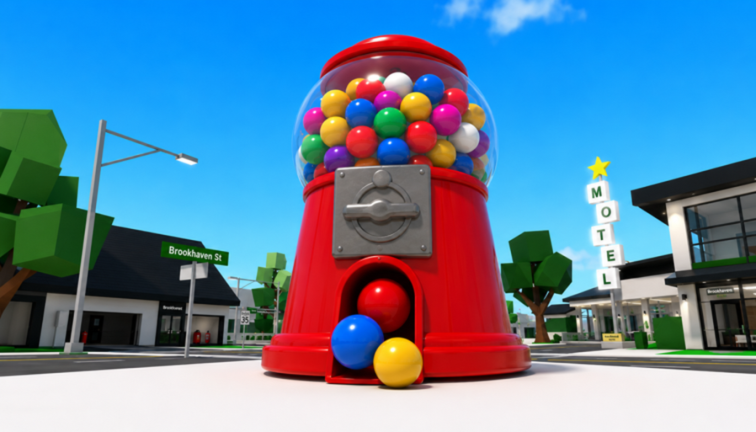
Clean inputs make Gumball Tycoon feel smooth even when gumballs fill the plot. This controls guide covers practical PC and mobile habits for the merge tycoon by I love sugar! Read it beside getting started on day one, then return whenever menus slow you down during make money fast sessions.
Core movement and camera
PC
- WASD or arrow keys move your avatar around the plot
- Mouse steers the camera; scroll to zoom when counting machines
- Right mouse drag helps scan crowded boards before a merge
- Jump sparingly — vertical movement rarely speeds melts
Mobile
- Virtual joystick moves; drag the right side to look
- Pinch zoom if the device supports it when hunting duplicate tiers
- Rotate to a top-down-ish angle before merging so pairs are obvious
Keep the camera high enough to see machine tiers at a glance. Low cinematic angles hide duplicates and delay decisions described in how to merge.
HUD actions you will use constantly
- Shop / buy — purchase the next machine toward a planned pair
- Melt / collect — convert gumballs into cash
- Merge — combine matching tiers
- Codes / gift — redeem promos listed on the codes hub
- Settings — graphics, volume, and sometimes code entry
Exact icon art can change after patches on updates, but the functions stay tied to the same loop.
Recommended graphics settings
Busy candy VFX look great and cost frames. If melts feel laggy:
- Lower graphics quality one or two steps
- Close background apps on mobile
- Avoid stacking unnecessary particle-heavy cosmetics
- Rejoin if the world streams halfway
Stable frames matter more than max beauty while you practice income routes.
Menu navigation tips
- Open codes only after the plot finishes loading
- Close shop UI before attempting a merge so clicks register on machines
- On mobile, tap empty space to dismiss panels that block the merge target
- Bind your mental checklist: melt → merge → buy → melt
Accessibility and comfort
- Reduce camera sensitivity if you overshoot machine targets
- Take short breaks during long grind blocks — see habits on players
- Use headphones lightly; audio cues help but are optional
- Keep brightness high enough to tell tier colors apart
Controls for automation users
If you experiment with tools from the scripts hub, learn manual controls first. You need to notice when auto-buy opens the wrong menu or when a merge click fails. Automation should copy your best habits, not hide missing skills.
Quick reference table
| Action | PC habit | Mobile habit |
|---|---|---|
| Survey board | Zoom out, orbit | Pinch + high angle |
| Melt | Walk route every 30–60s | Same timed route |
| Merge | Clear UI, select pair | Dismiss panels first |
| Buy | Shop only with a target tier | Same rule |
| Codes | Menu after full load | Menu after full load |
Troubleshooting input issues
- Clicks do nothing — another frame is open; close it
- Cannot find codes — check settings/gift icons, then codes notes
- Merge fails — verify matching tiers via tier list
- Lag spikes — drop quality, or switch servers from links game page
Practice routine
Spend five minutes moving only: melt path, camera reset, shop open/close, merge attempt on a cheap pair. Then jump back into the guides hub for strategy pages. Strong controls turn every wiki tip into faster execution.
Gumball Tycoon rewards tidy hands. When movement, melting, and merging feel automatic, your brain is free to plan the next tier instead of fighting the HUD.
Frequently Asked Questions
Quick answers for melts, merges, and codes.
What are the basic Gumball Tycoon controls?
Move with WASD or the mobile joystick, use the HUD to buy, melt, and merge, and open the codes or settings menu for promos.
How do I make merging easier on mobile?
Raise the camera, dismiss open panels, and cluster matching machines so pairs are easy to tap.
Why are my clicks not registering?
A shop or settings frame is likely blocking the world. Close UI windows, then try again.
Should I lower graphics?
Yes if frames drop during busy melts. Stable performance beats maximum eye candy while grinding.